
iOS Backup Machine

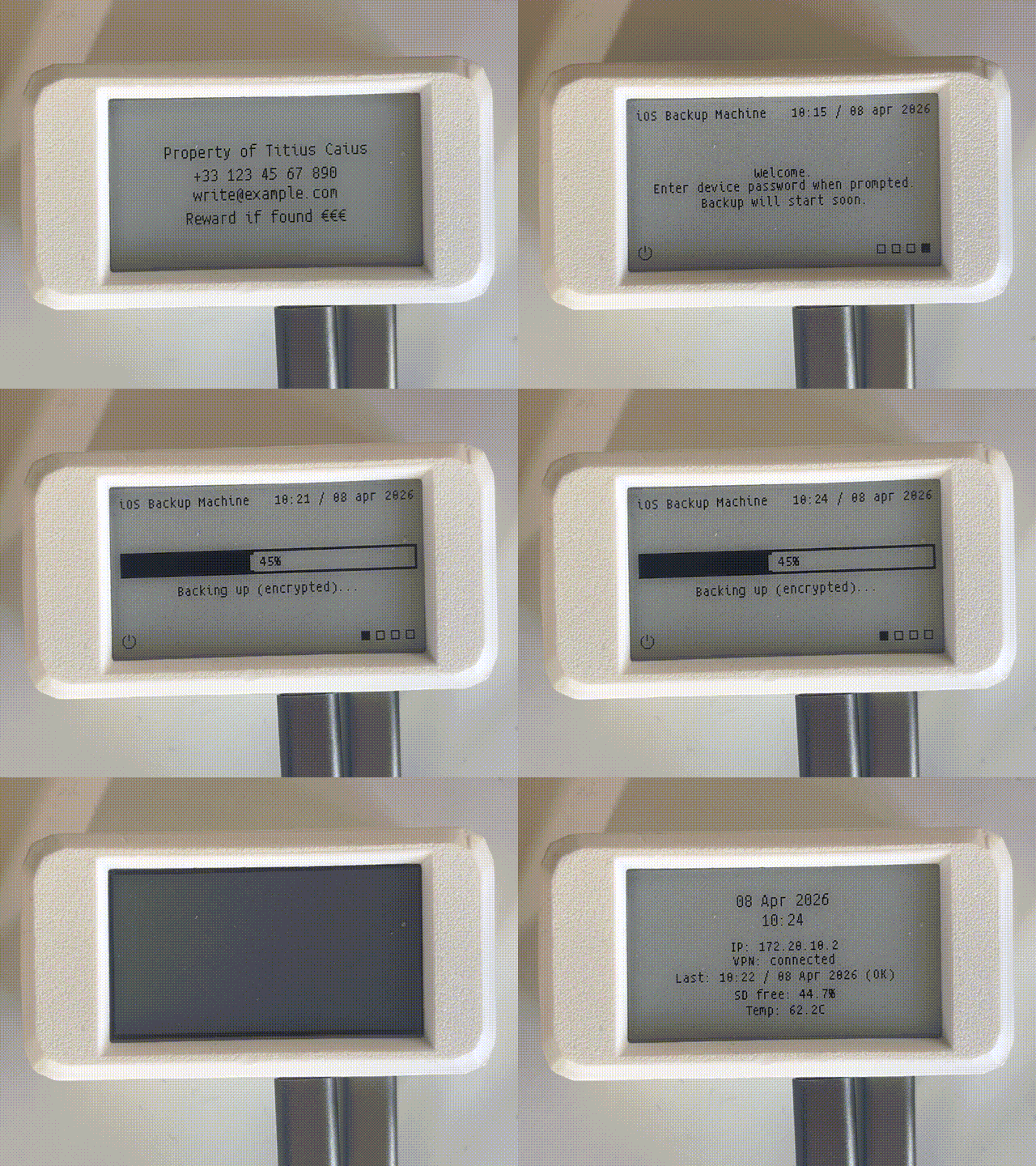
Plug in an iPhone and it backs up on its own. No iCloud, no iTunes, no computer, no account. The whole thing runs on a Radxa Zero 3W (an upgraded Raspberry Pi Zero W) with a small e-ink screen and a battery UPS, and every backup stays on local storage you control.
When you connect a phone, the device runs an encrypted idevicebackup2 backup to the microSD card, shows progress and any errors on the e-ink display, and writes a log you can read later. An optional rsync-over-SSH job ships each backup to a remote server, over WireGuard if you want it off your LAN.
Start here
Section titled “Start here”- Overview: what the appliance does and how a backup runs
- Hardware: the parts list and the software stack
- Installation: flash Armbian and run the installer
- First backup: the setup wizard and your first run
How it fits together
Section titled “How it fits together”One long-running display service owns the e-paper and draws every screen from a single status file. Everything else (the backup, remote sync, web UI, and the PiSugar button) only writes state. Backups land on the microSD card, and an optional rsync-over-SSH job copies them to a remote server.
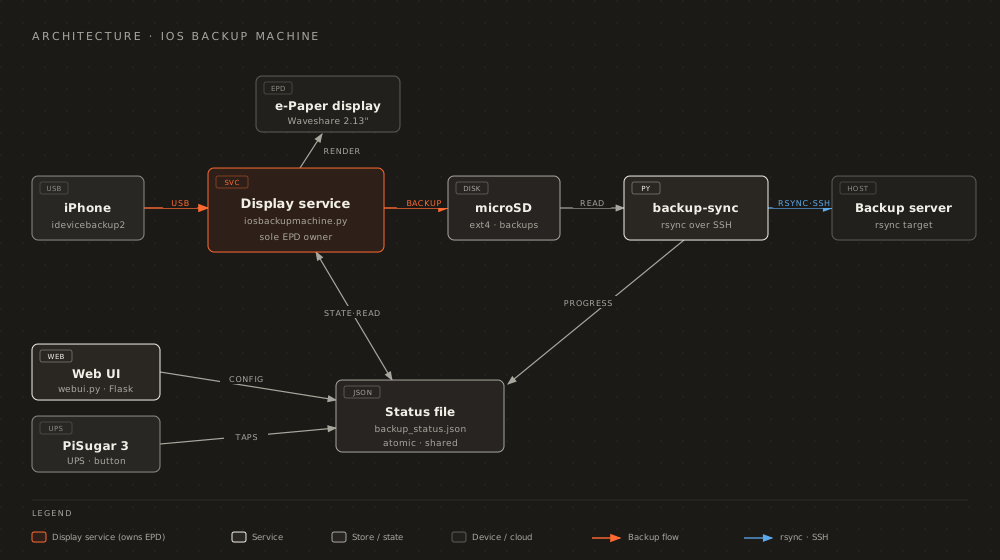
Read Architecture overview for why a single owner removes the SPI-bus conflicts that used to freeze the display.
Inspect your backups with Apple Juicer
Section titled “Inspect your backups with Apple Juicer”To browse the backups this device creates, point Apple Juicer at the backup directory. It parses artifacts such as WhatsApp and Messages (with Photos, Notes, Calendar, and Contacts in progress) and lets you search them in a browser, including unlocking encrypted backups with the password.
- Repository: https://github.com/giovi321/apple-juicer
- Documentation: https://giovi321.github.io/apple-juicer/